
Learner Profile


Inclusion Leaders
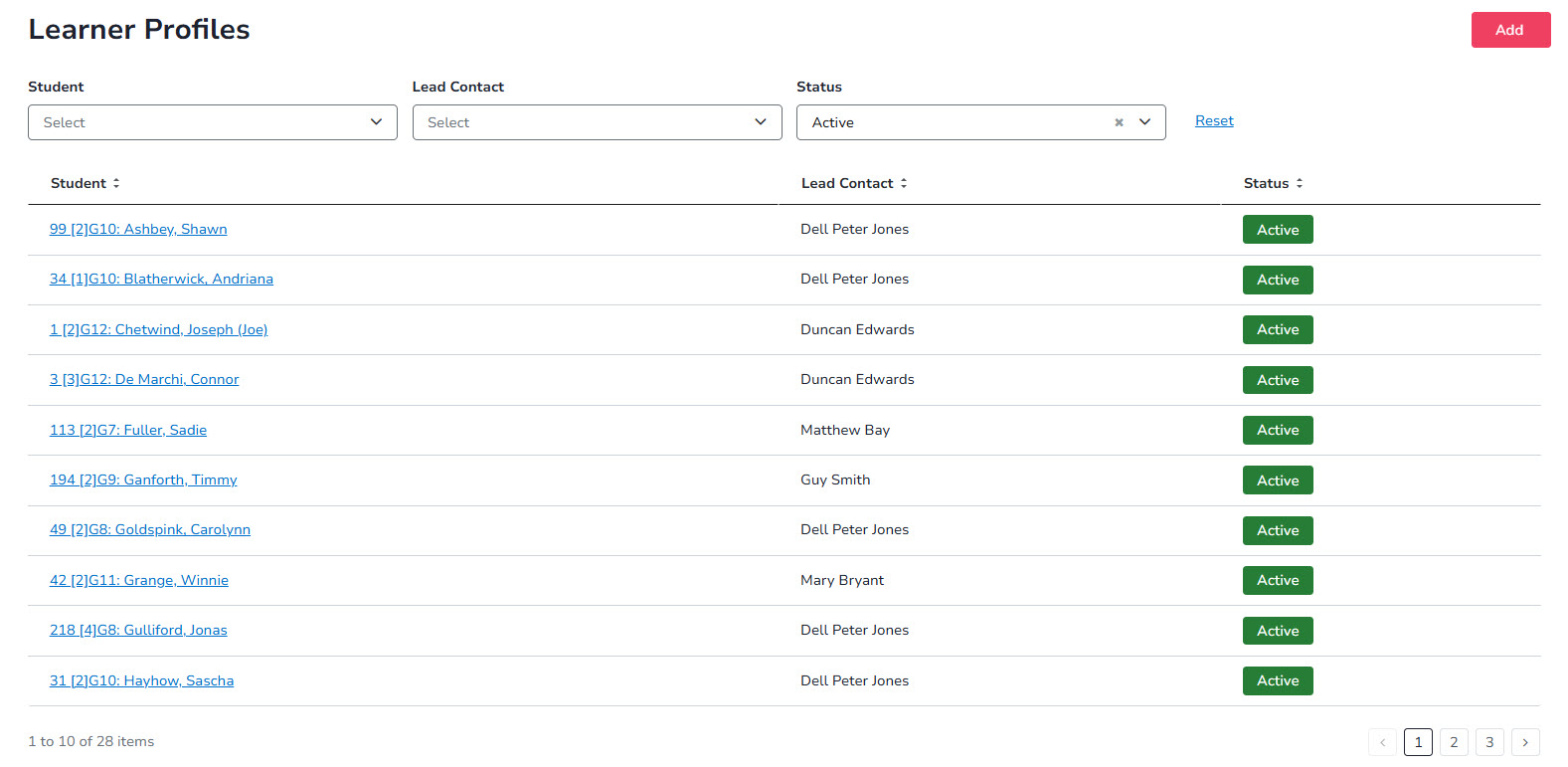
Lead Contacts can easily search for and view the details of individual education plans for their students.
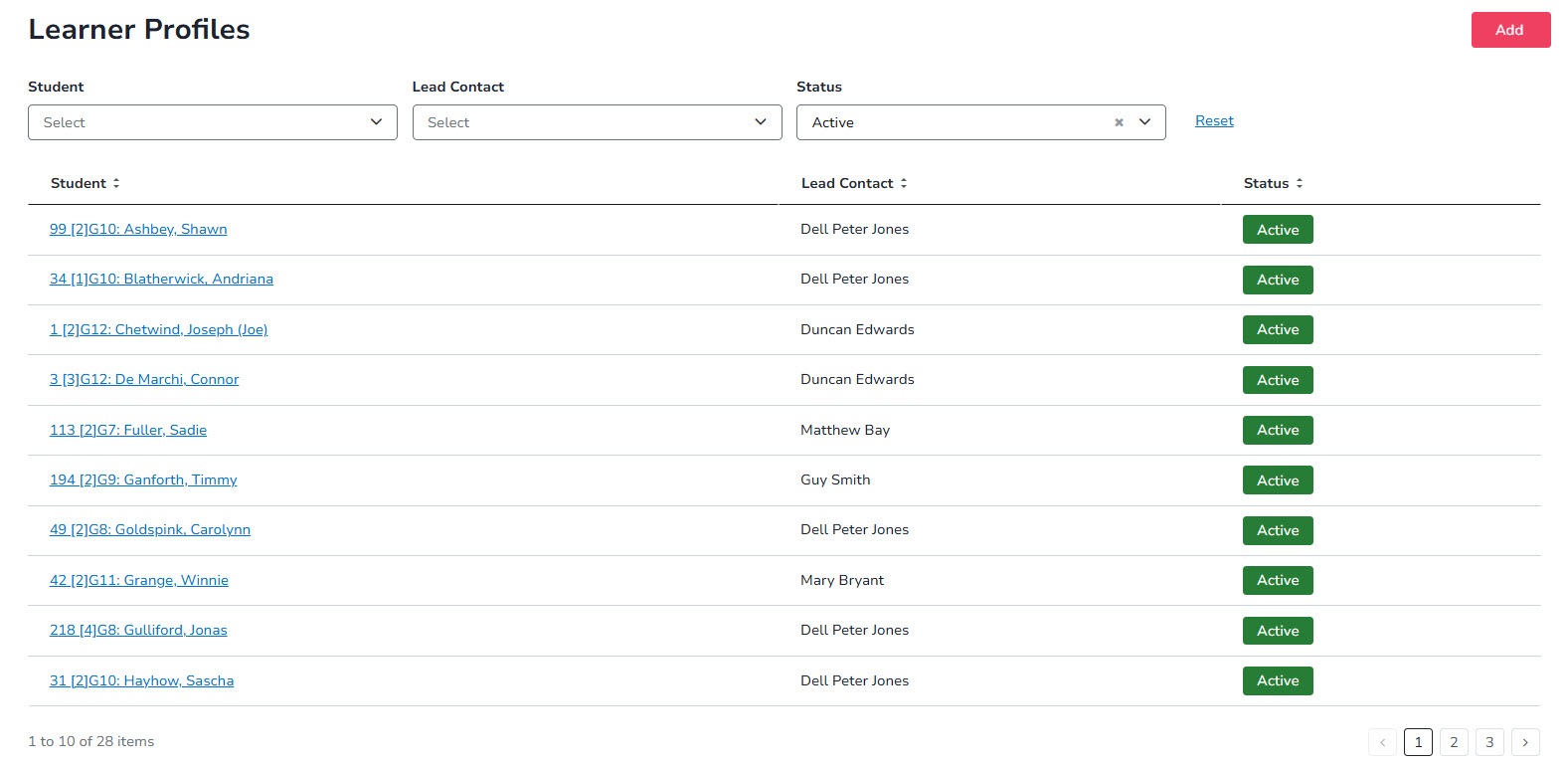
Learner Profiles
Lead Contacts, Teachers and Inclusion Leaders can easily search for and view the details of learner profiles for their students.

Track key student information over time, including support groups, interests and strengths, within the Learner Profile.
Track assessments, formal diagnoses, learning challenges and adjustments over time.

Record consultations with the student and their support group.

Once Learner Profiles are in place, teachers can run reports to see the adjustments that need to be planned for and provided during classroom instruction.

Teachers use a dashboard that alerts them to changes in learning adjustments for students in their classes.

Record evidence of planned and ad hoc classroom adjustments, with optional lesson plan uploads, requiring users to only note ad hoc adjustments or mark planned adjustments not delivered to reduce administrative effort.


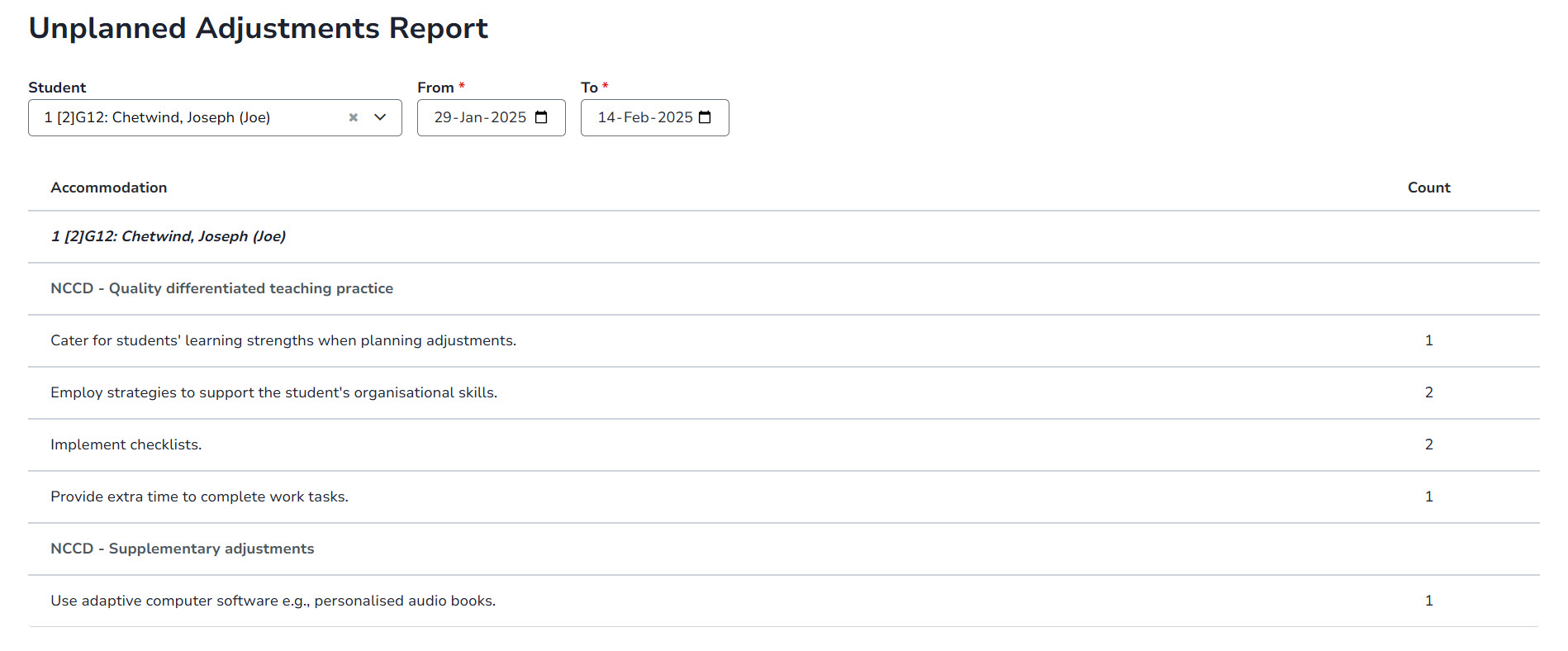
Inclusion Leaders use a dashboard that alerts them to students receiving unplanned (ad hoc) learning adjustments.
Use system data to identify potential funding needs by showing how many students receive unplanned adjustments and whether a Learner Profile is in place.
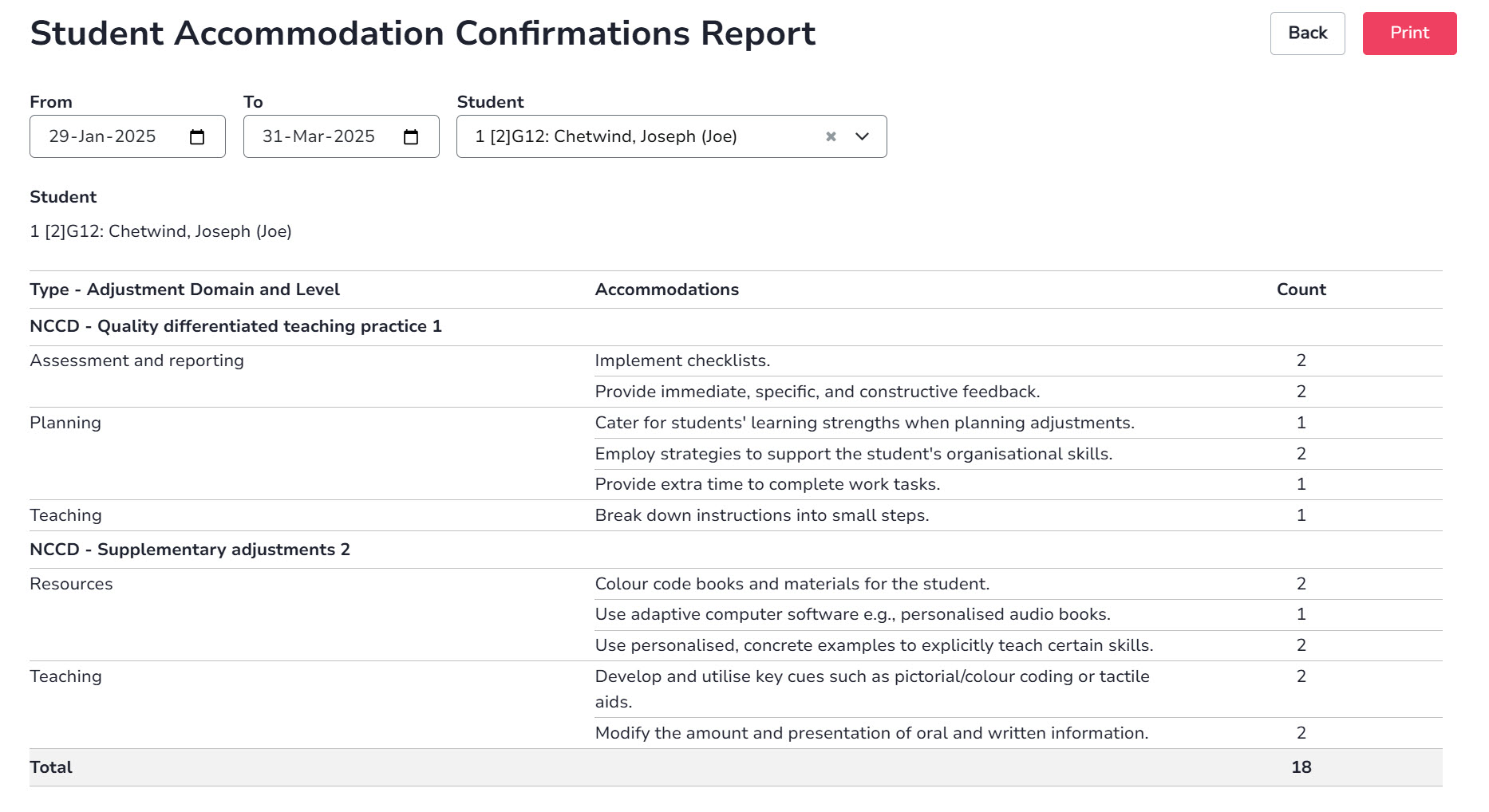
Report on the learning adjustments provided to a student over a selected period to support funding requests and audits.

Teachers
Assessment Requests
Once special provisions records have been created for students, assessments and catch-up classes can be planned.

Teachers
Create assessment requests in a few simple steps, with no further action required from teachers, while the Daily Organiser runs real-time reports to coordinate required adjustments and resources, removing follow-up and administrative effort.

Edify automatically identifies students with special provision records, enabling assessment and catch-up scheduling without displaying student names and maintaining student privacy.
As assessments are planned, the Daily Organiser or administration staff run real-time reports to identify required resources, removing the need to interpret student needs or manually collate assessment information.

Catch-up classes are easily scheduled using copy functionality for students who are absent on the day of an assessment.
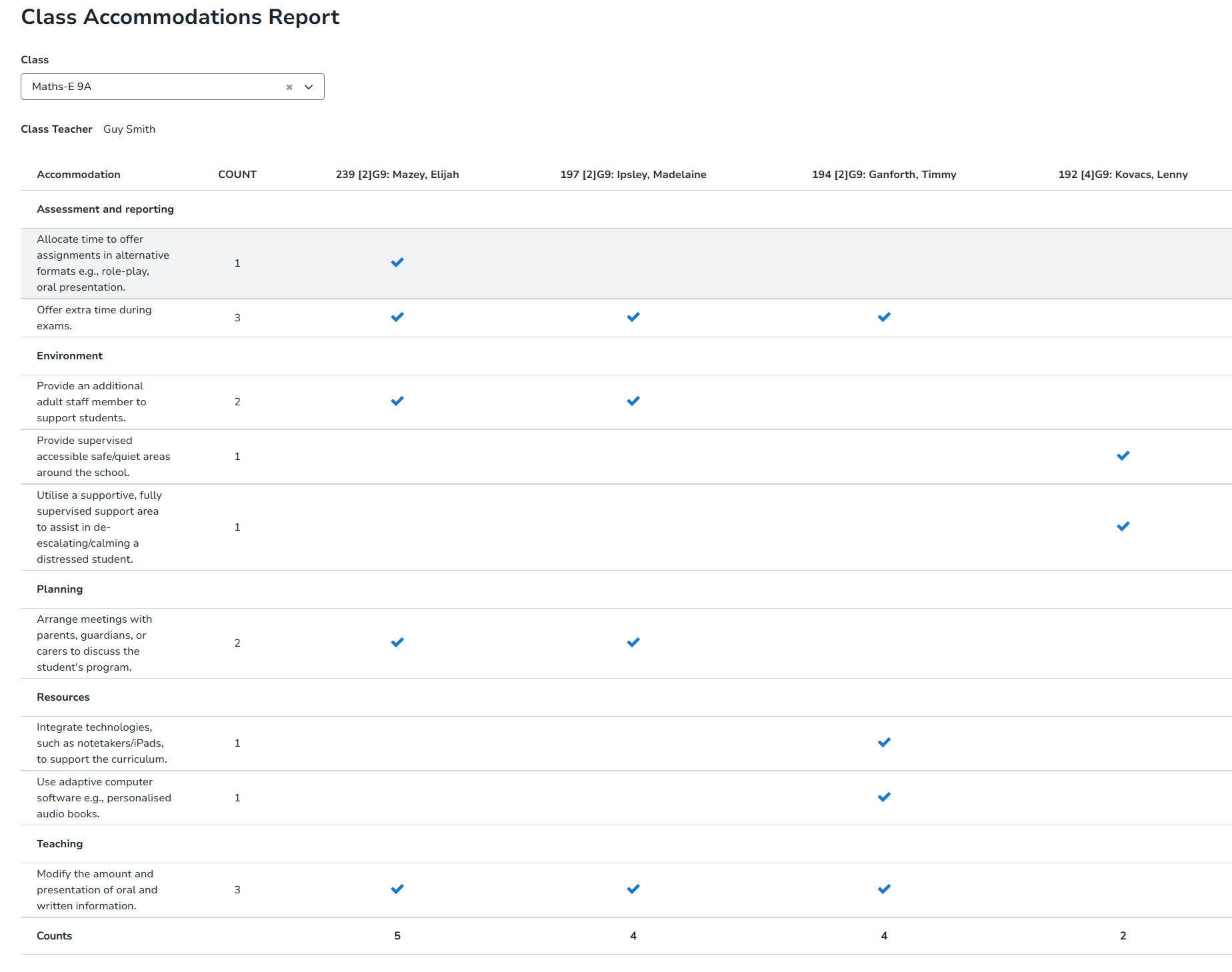
Once Learner Profiles are in place, teachers can run reports to see the adjustments required during classroom instruction.
Teachers use a dashboard that alerts them to changes in student learning adjustments.

The unplanned adjustments report shows how often ad hoc learning adjustments occur over a selected period, informing whether adjustments should be added to the Learner Profile and whether support or funding requires review.


Teachers use a dashboard that alerts them to the tasks they need to complete.
Lead Contacts can quickly search for and view learner profile details for their students.
Schools
Schools
Learning strengths, challenges, interests and adjustments used in Learner Profiles and Individual Education Plans (IEPs) are managed and updated via configurable Phrase Banks.

Schools
System data can help assess student support levels and highlight where extra funding may be needed.
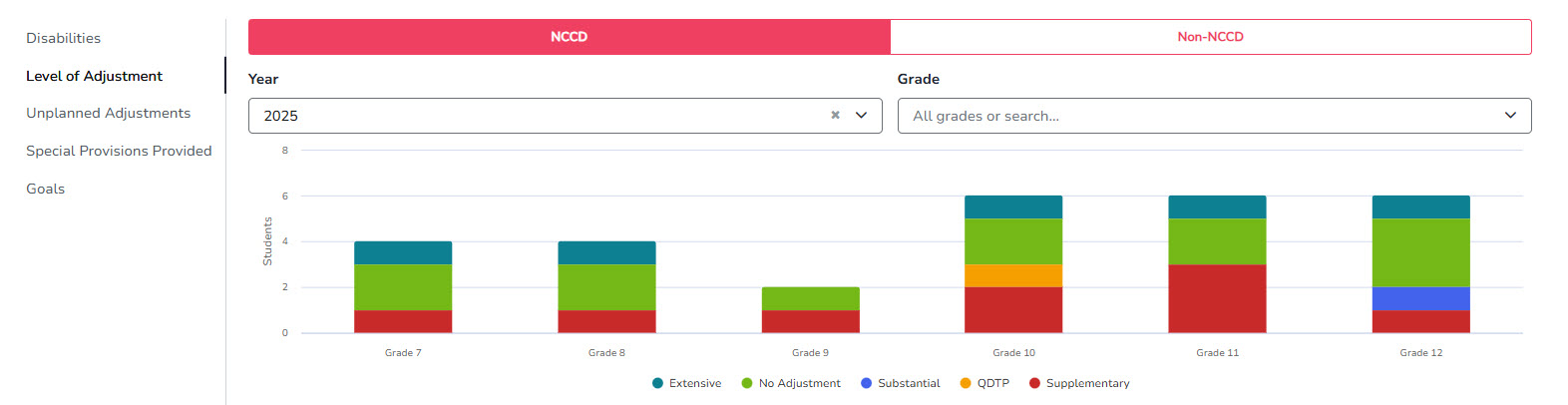
Data showing the number of students reported under the NCCD compared with those not currently included (Non-NCCD).
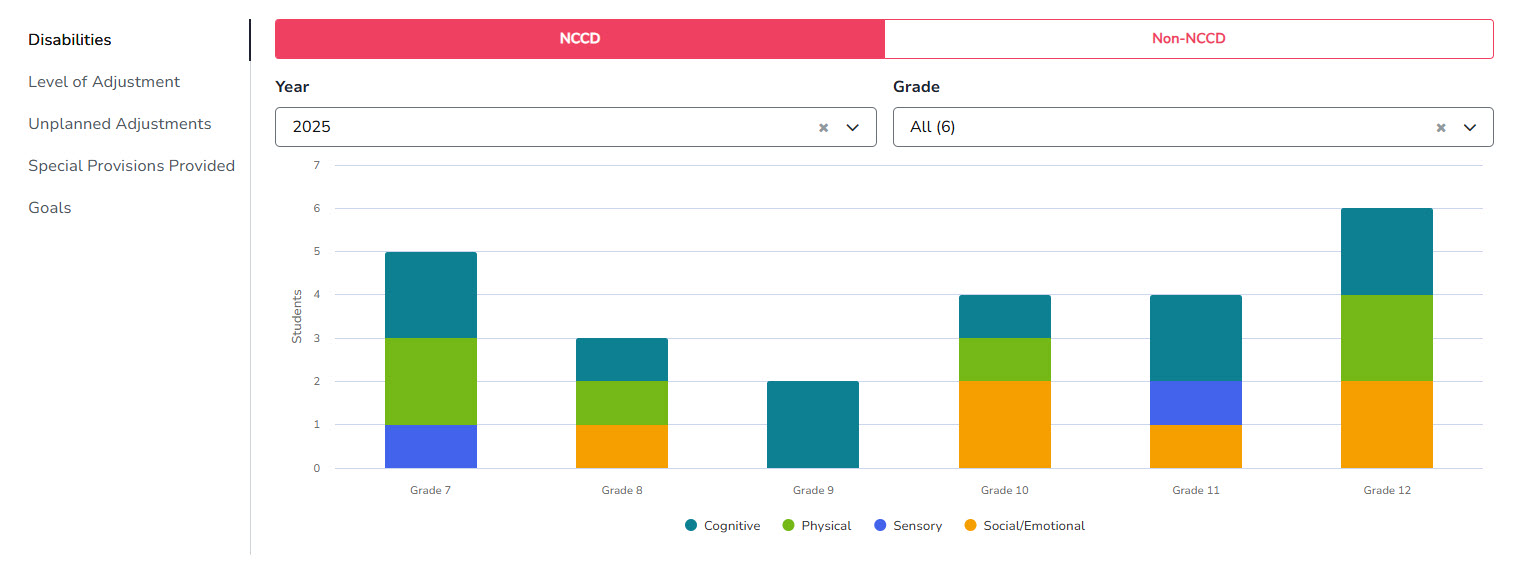
Provide visibility of progress against IEP goals across the student cohort.

View aggregated data of NCCD adjustments provided by class.
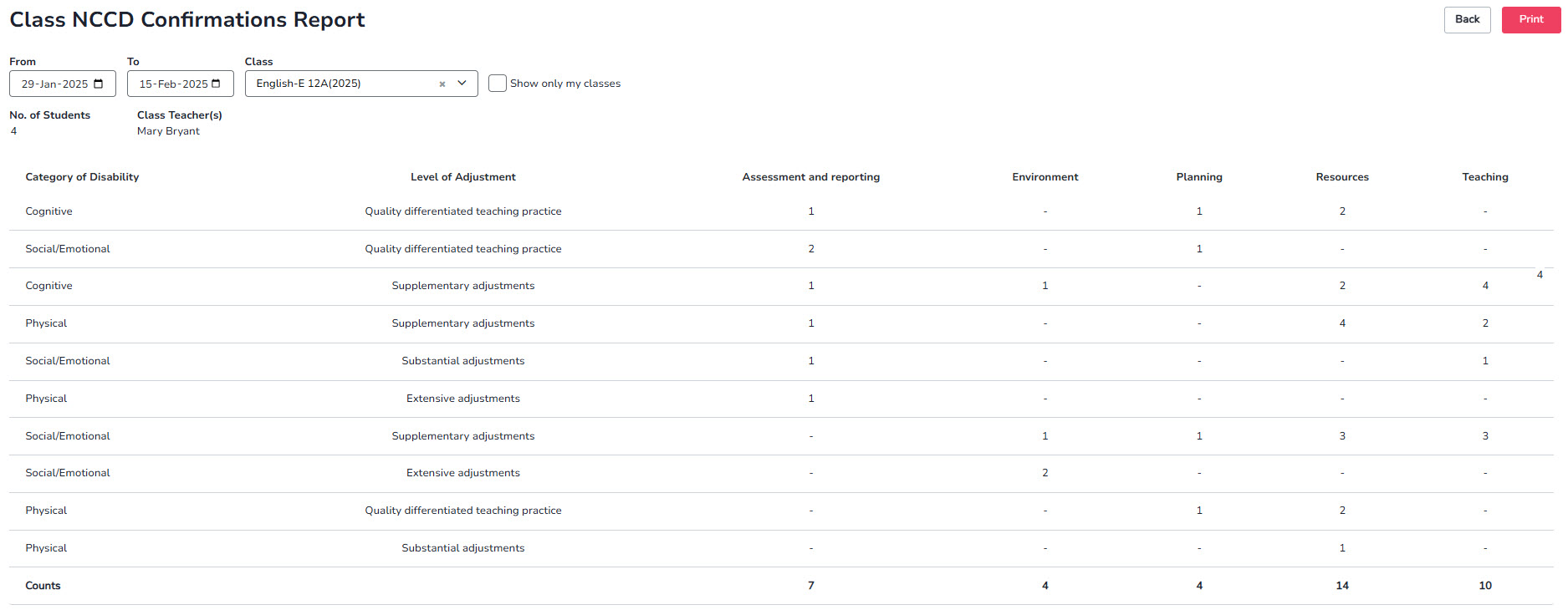

Generate detailed reports on classroom learning adjustments to support funding and audit processes.