Inclusion Leaders archived

Inclusion Leaders
Lead Contacts can easily search for and view the details of individual education plans for their students.
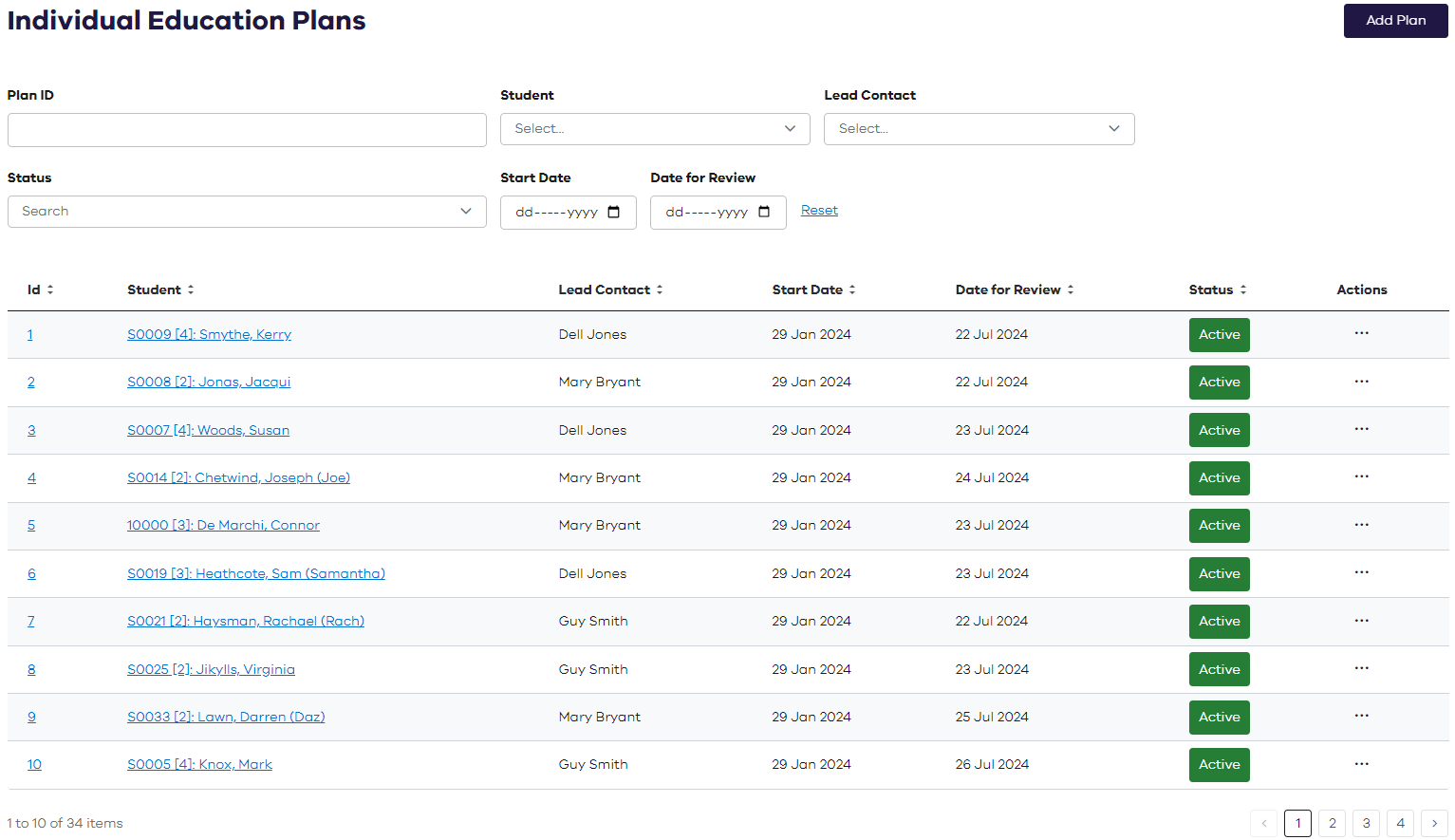
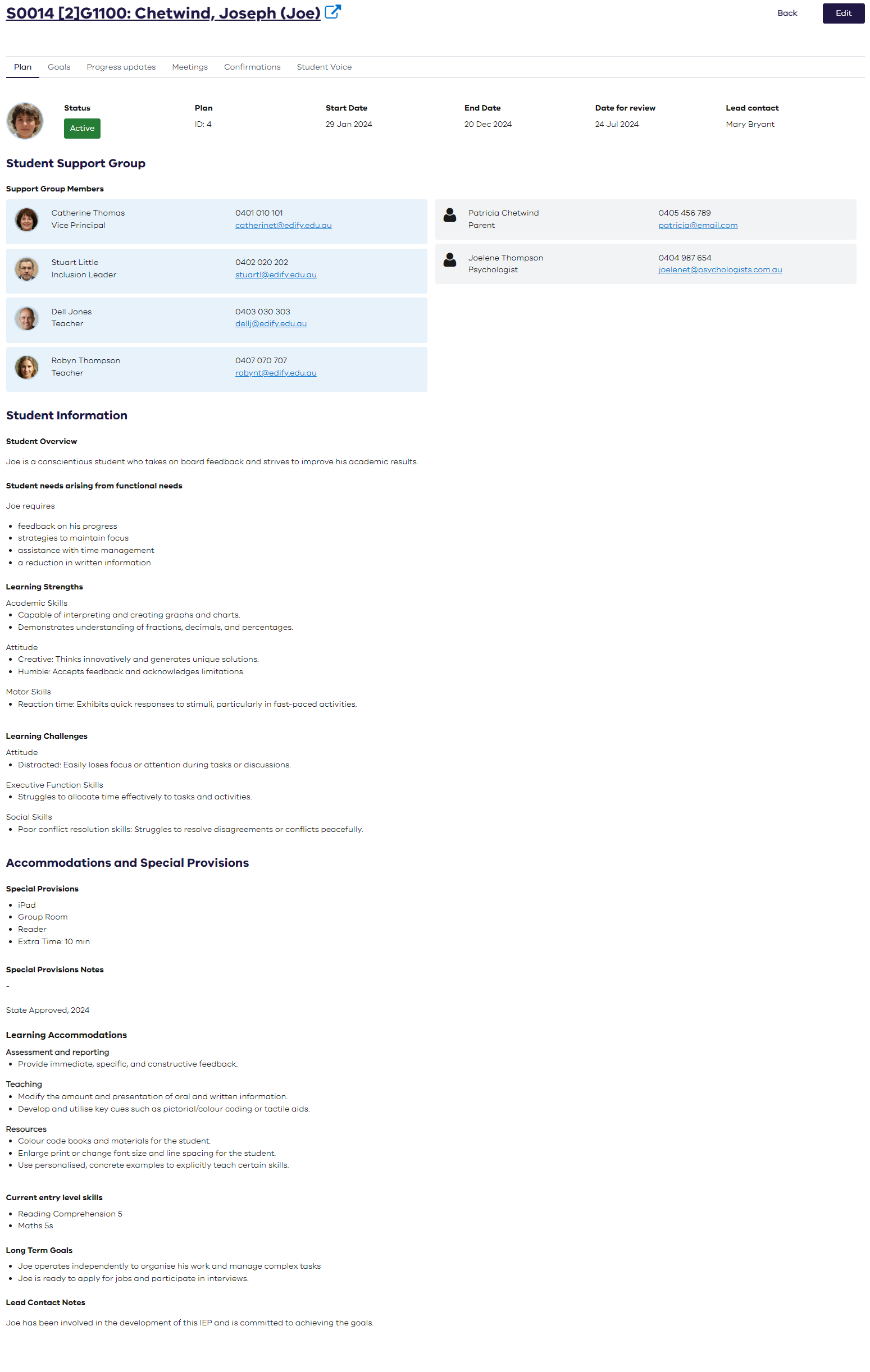
The Individual Education Plan (IEP) includes the adjustments, goals and strategies to meet the student’s unique learning needs.
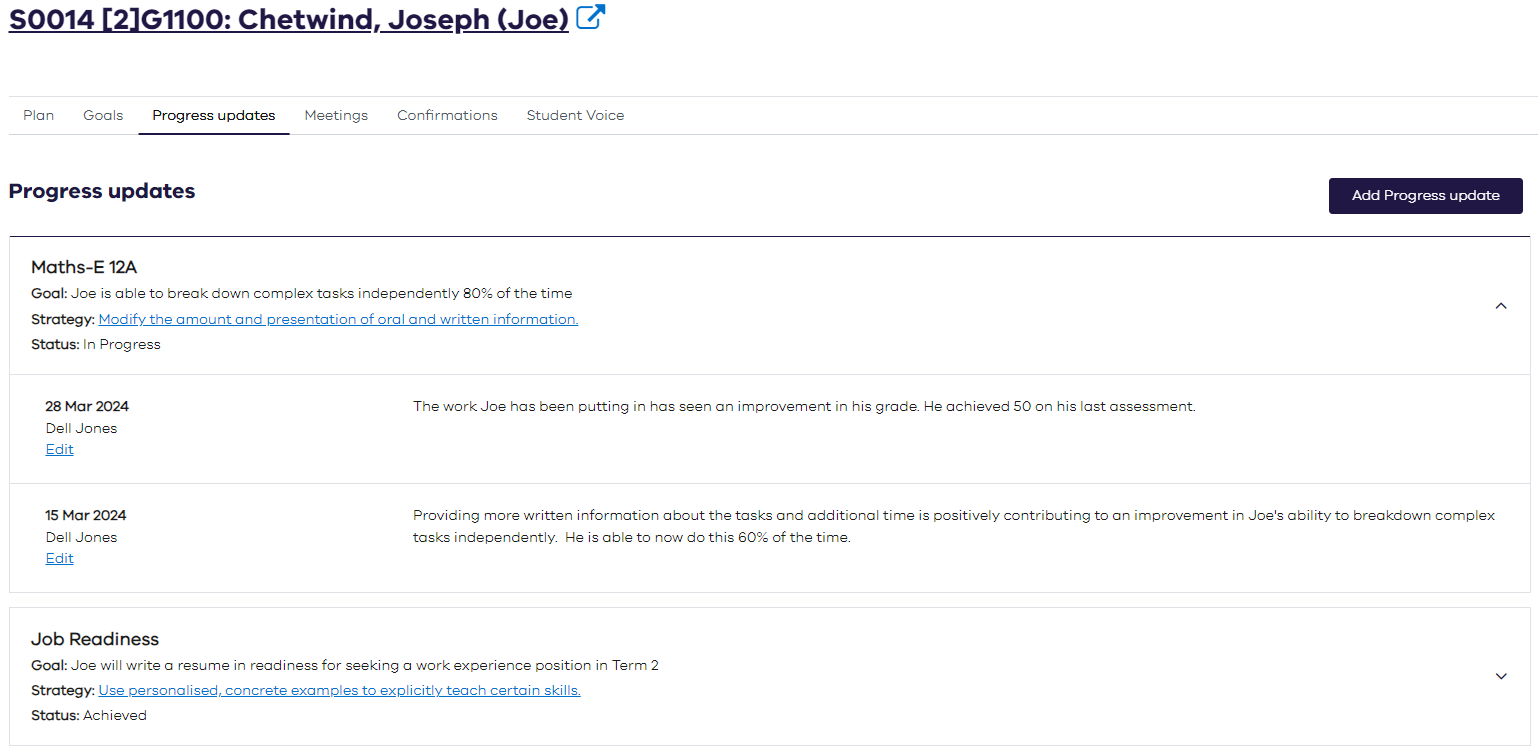
Progress against goals can be tracked and the minutes of the student support group (SSG) meetings recorded.
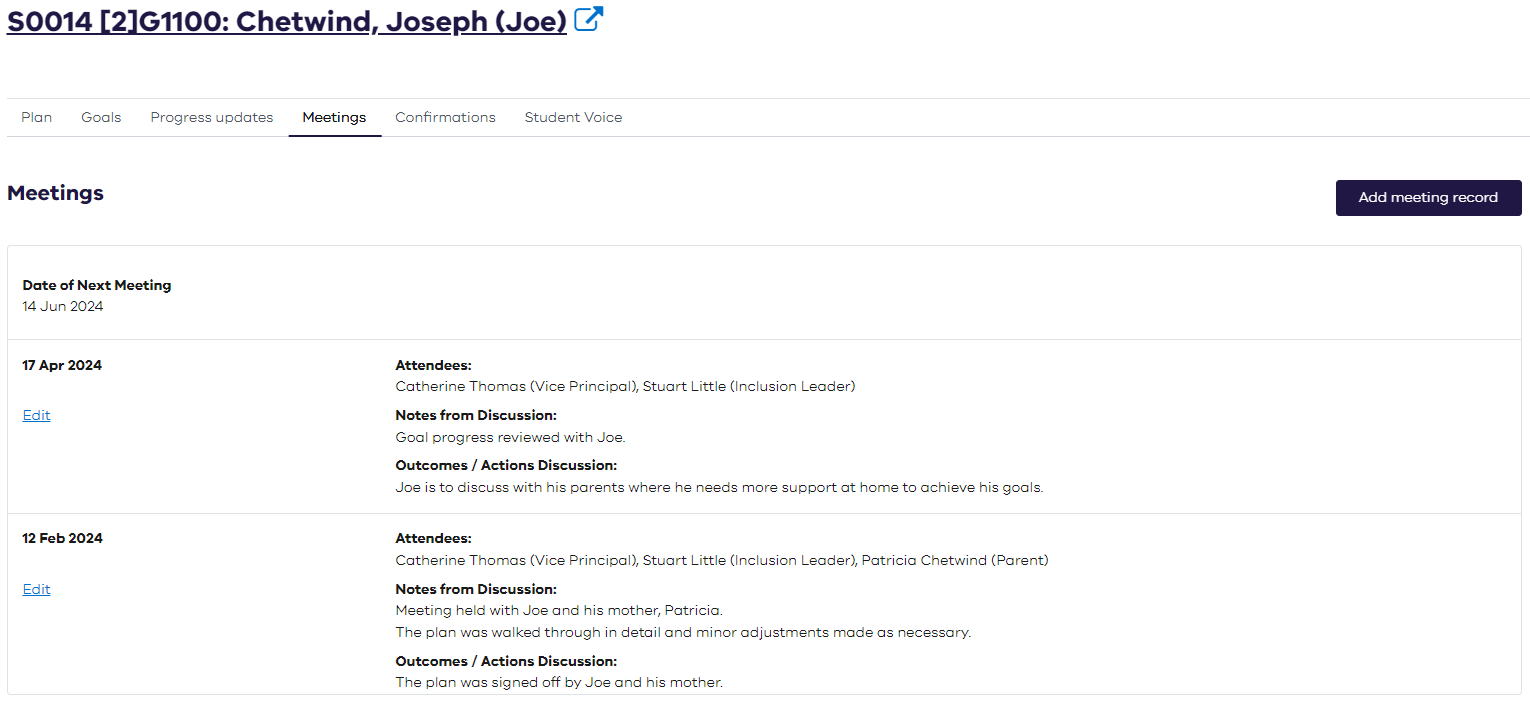
Details of meetings can be captured so there is continuity of details for each student.
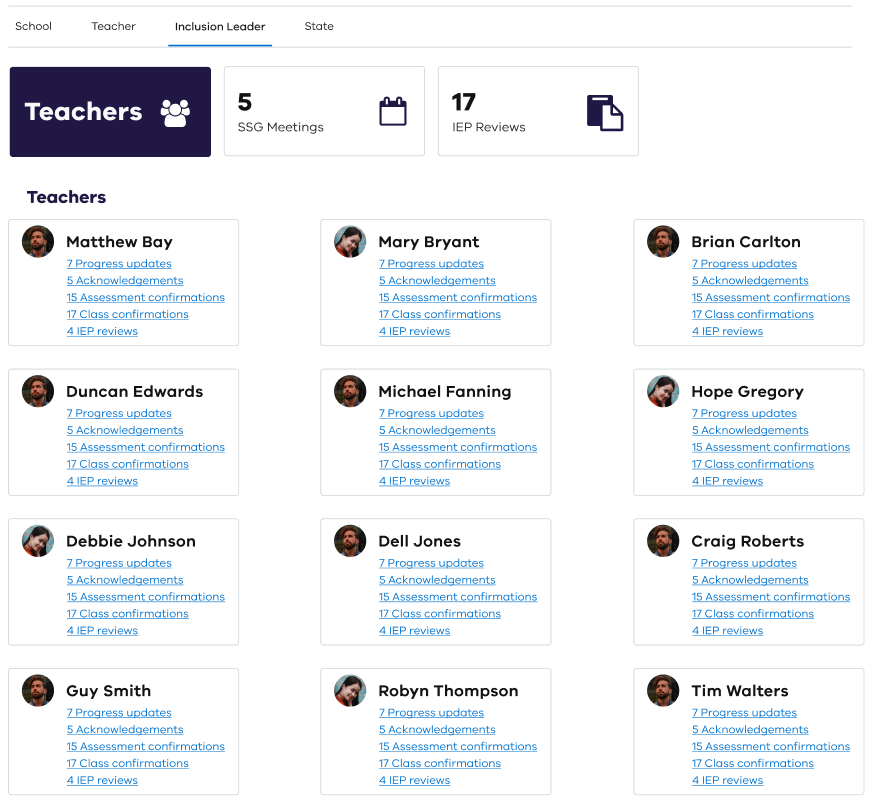
Teachers have a dashboard to alert them to the tasks they need to complete.

Inclusion Leaders have a dashboard to:
facilitate follow-up with teachers
see what SSG meetings need to be held
easily identify what IEPs are coming up for review.
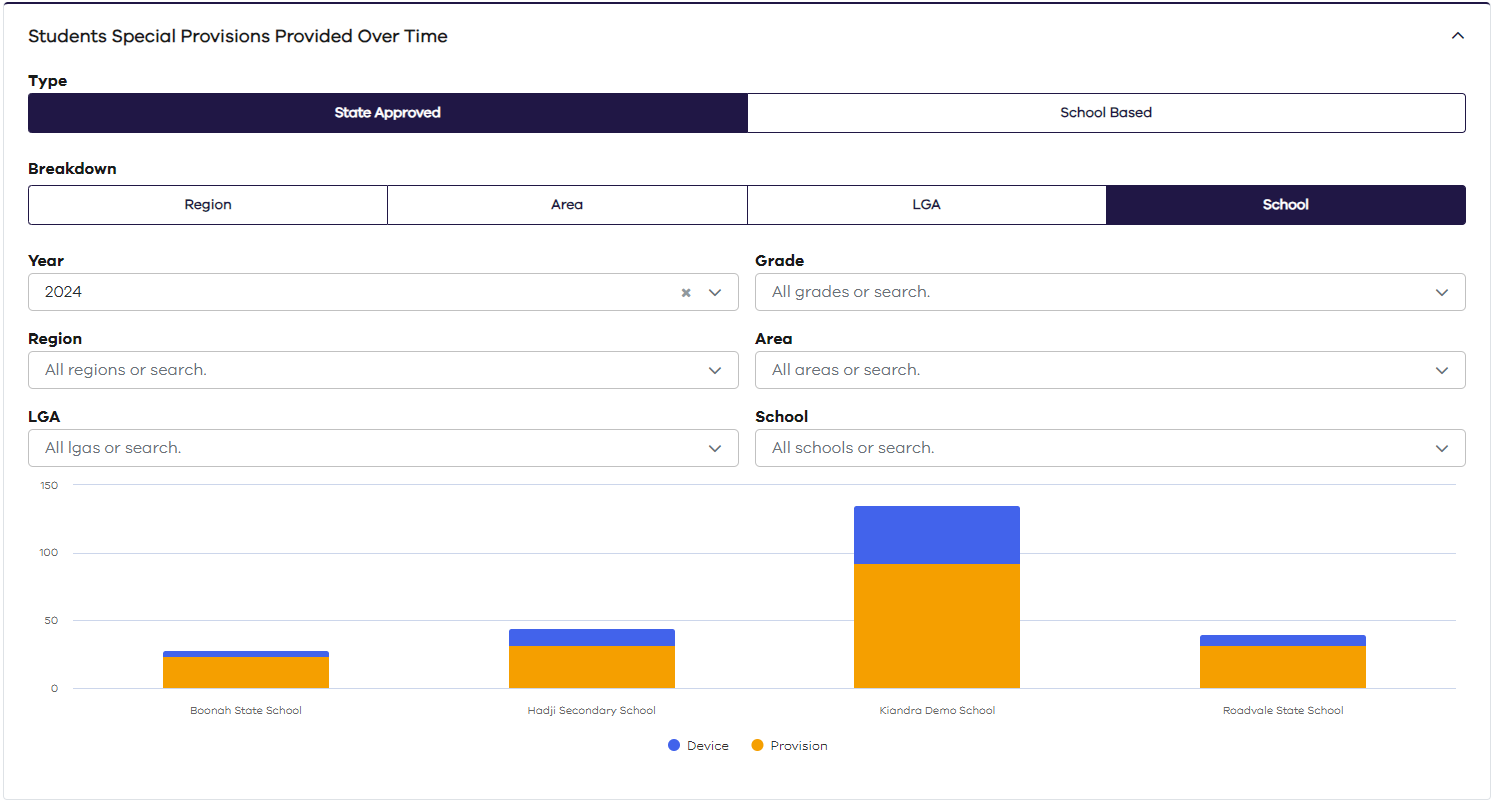
Digitising the process end-to-end, including evidence capture, enables analysis and reporting, for example, state-approved special provisions provided versus school-based.
Digitising the process end-to-end, including evidence capture, leads to an understanding of the level of support being provided to students and provides data to inform where additional funding may be required, e.g. the number of students and their level of adjustment counted in NCCD reporting vs those that are not (Non-NCCD).


Assessment Requests archived

Assessment Requests
Once special provisions records have been created for students, assessments and catch-up classes can be planned.

Edify automatically determines which students have special provision records so the person scheduling the assessment or catch-up class does not have visibility of student names to maintain their privacy.

Edit mode allows authorised people to make any necessary changes to an assessment request.

Catch-up classes can be scheduled easily, using the copy functionality, for any students who are away on the day of an assessment.

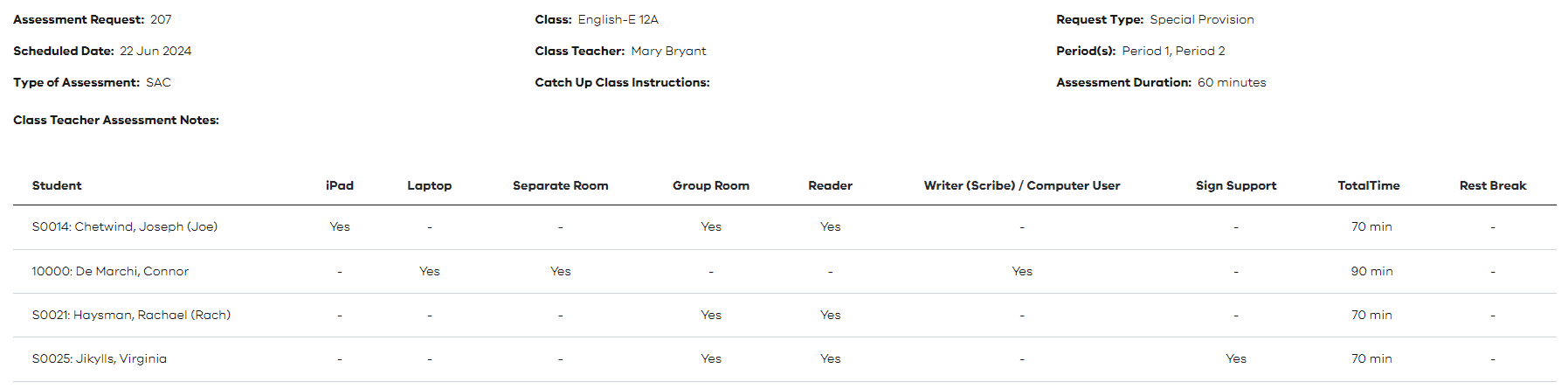
As assessments are being planned, the Daily Organiser (or Administration Staff) can run the report in real-time to see what resources need to be organised, eliminating all work associated with understanding student needs and collating information on assessments
for planning purposes. The report summarises resources required by date and period plus a page for the supervising teacher.
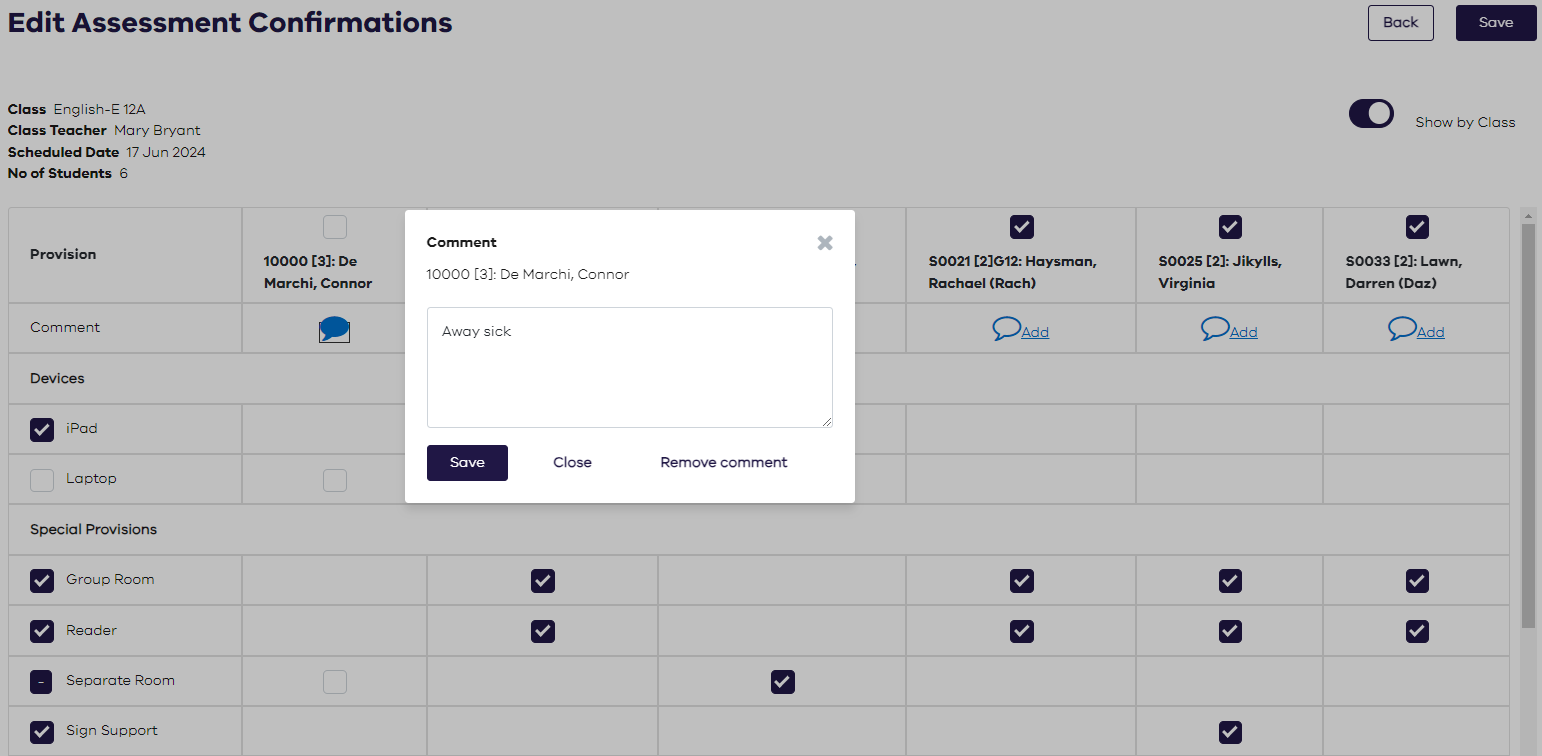
Once the assessments are complete, the evidence of what special provisions were provided can be quickly and easily captured by exception.
Digitising the process enables analysis and reporting, such as state-approved special provisions provided versus school-based ones.

Useful Features archived
Useful Features
Learning strengths, challenges and adjustments used in Individual Education Plans (IEPs) are managed and updated via configurable Phrase Banks.


Accommodation adjustments can be configured based on NCCD adjustments.

Example of adjustments in universal design (UD).

Record evidence of adjustments provided during class, including the ability to upload lesson plans.This is done by exception, i.e. the user only has to turn off the adjustments not provided on the day for the class or an individual student, reducing the administration burden.

The class accommodations report compiles the adjustments required for each student to assist teachers in lesson planning and instructional delivery. This saves teacher's time as they no longer need to read through individual education plans to try and compile this information manually.
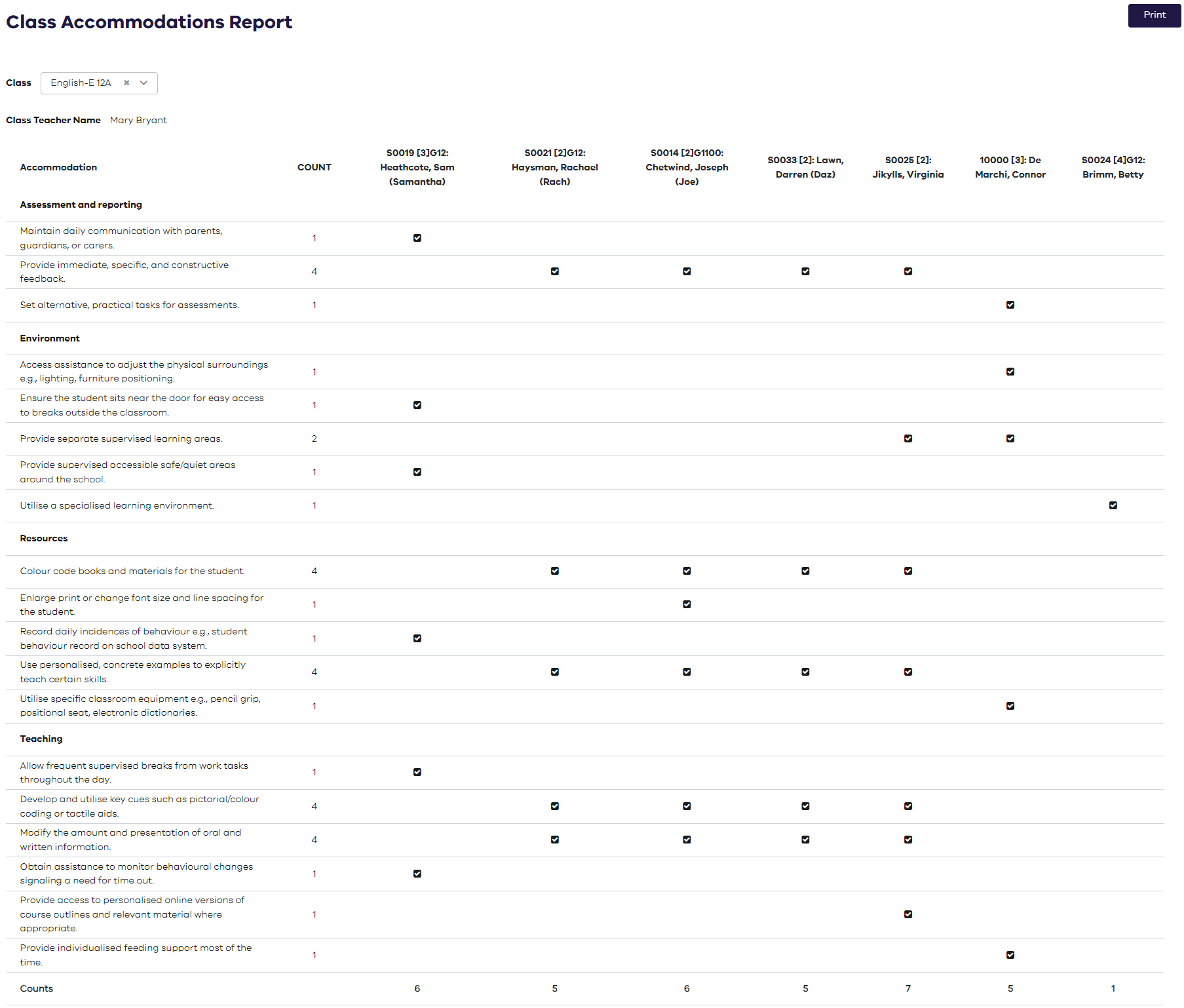
Data from the system can be used to understand the level of support being provided to students and provide data to inform where additional funding may be required, e.g. the number of students and their level of adjustment counted in NCCD reporting vs those that are not (Non-NCCD).
Non NCCD adjustments.

Individual Education Plans archived
Individual Education Plans
An Individual Education Plan (IEP) describes the adjustments, goals and strategies to meet the student’s unique learning needs. Edify enables you to search, view and edit IEPs.

Each student record contains details about goals, progress, meetings, confirmations and student voice.
Short term goals can be recorded.

Progress against goals can be tracked and the minutes of the student support group (SSG) meetings recorded.
Add and view meeting records with attendees and notes from the discussion.
Generate reports detailing goals across different schools.

Special Provisions
Special Provisions

Special provision records are created for students when they require reasonable adjustments in exam settings.
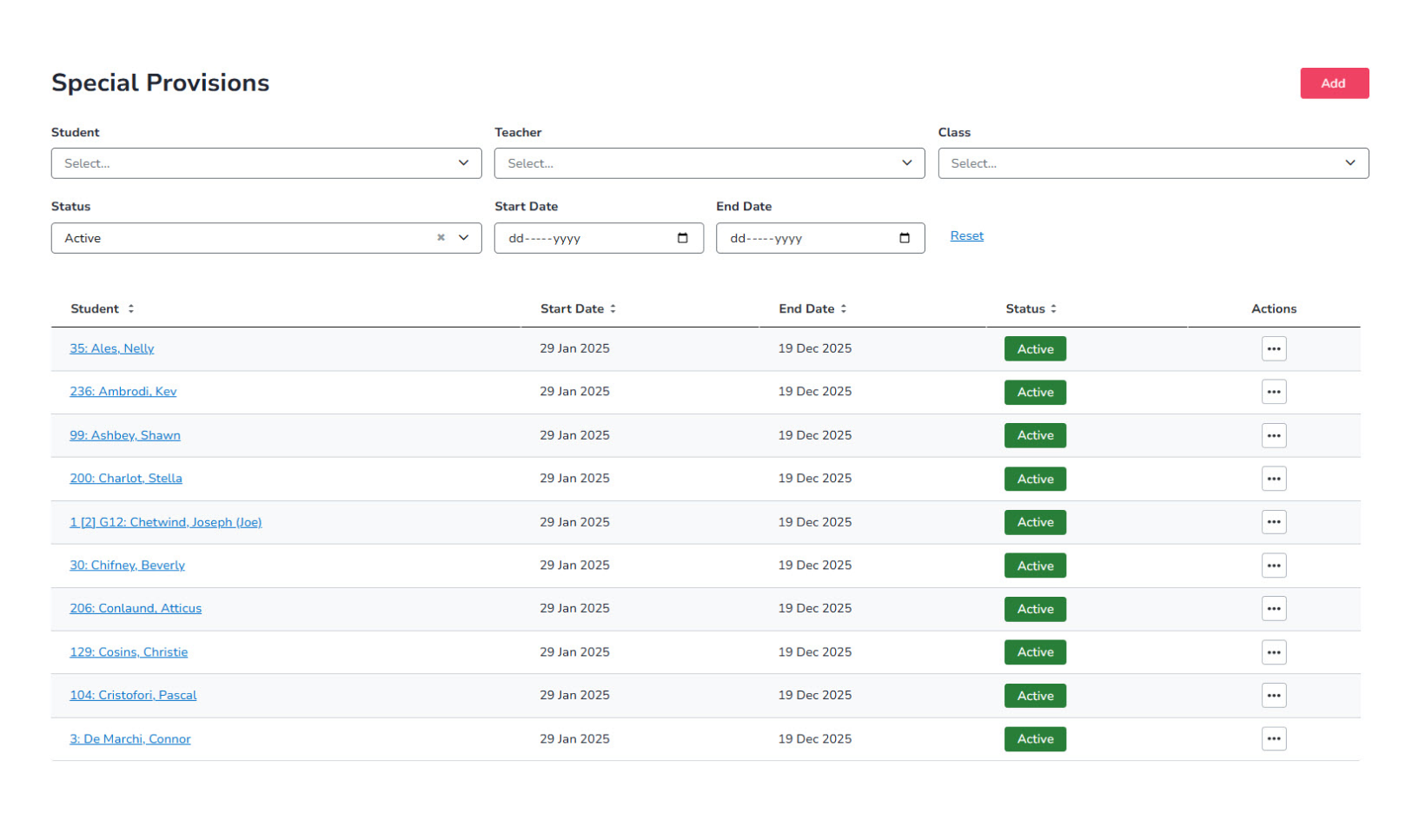
Special Provisions
Special provision records are created for students when they require reasonable adjustments in exam settings.

The special provision record captures details of the resources and adjustments required to meet the student’s individual needs.
A read-only view is available for authorised people.

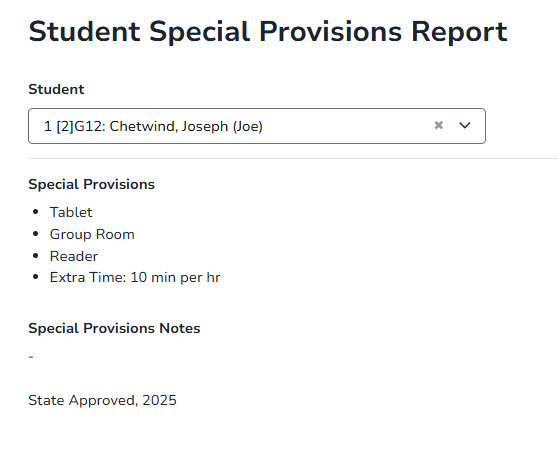
The special provision record applies for a defined period and includes adjustments such as rest breaks, extra time and approval status from the governing state body, with reports available including the student’s individual special provision record.
The special provision record applies for a defined period and includes adjustments such as rest breaks, extra time and approval status from the governing state body, with reports available at both individual student and school levels.

Configured devices to meet school requirements.

Configure special provisions to meet school requirements, with special provision records used to support the planning and supervision of catch-up classes and assessments.
