Useful Features


Useful Features
Manage and update learning strengths, challenges, interests and adjustments in Learner Profiles and Individual Education Plans using configurable phrase banks.

Useful Features
Manage and update learning strengths, challenges and adjustments used in Individual Education Plans (IEPs) through configurable Phrase Banks.


Configure accommodation adjustments aligned to NCCD adjustment categories.
Example of adjustments in universal design (UD).

Example of adjustments for Disability Inclusion Profile (DIP).

Record evidence of adjustments provided during class, including lesson plan uploads, with users only needing to note adjustments not provided on the day, reducing administrative burden.


Compile required adjustments for each student in a class to support lesson planning and instructional delivery, removing the need for teachers to manually review individual education plans.
Use system data to understand the level of support provided to students and inform where additional funding may be required, such as comparing students and adjustment levels included in NCCD reporting with those that are not (non-NCCD).

Non NCCD adjustments.


Inclusion Leaders
Inclusion Leaders
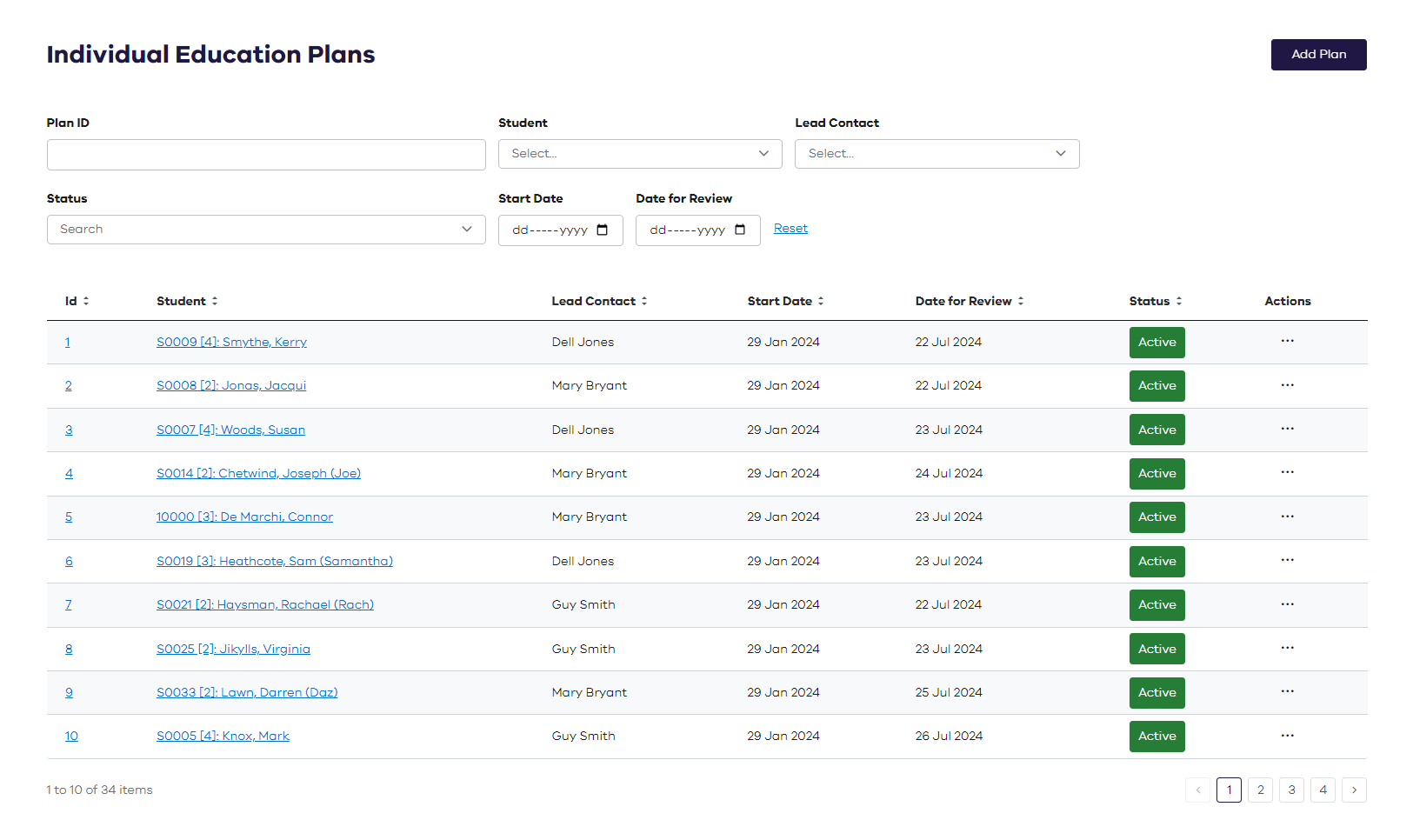
Lead Contacts can easily search for and view the details of individual education plans for their students.
Inclusion Leaders
Lead Contacts can easily search for and view the details of individual education plans for their students.
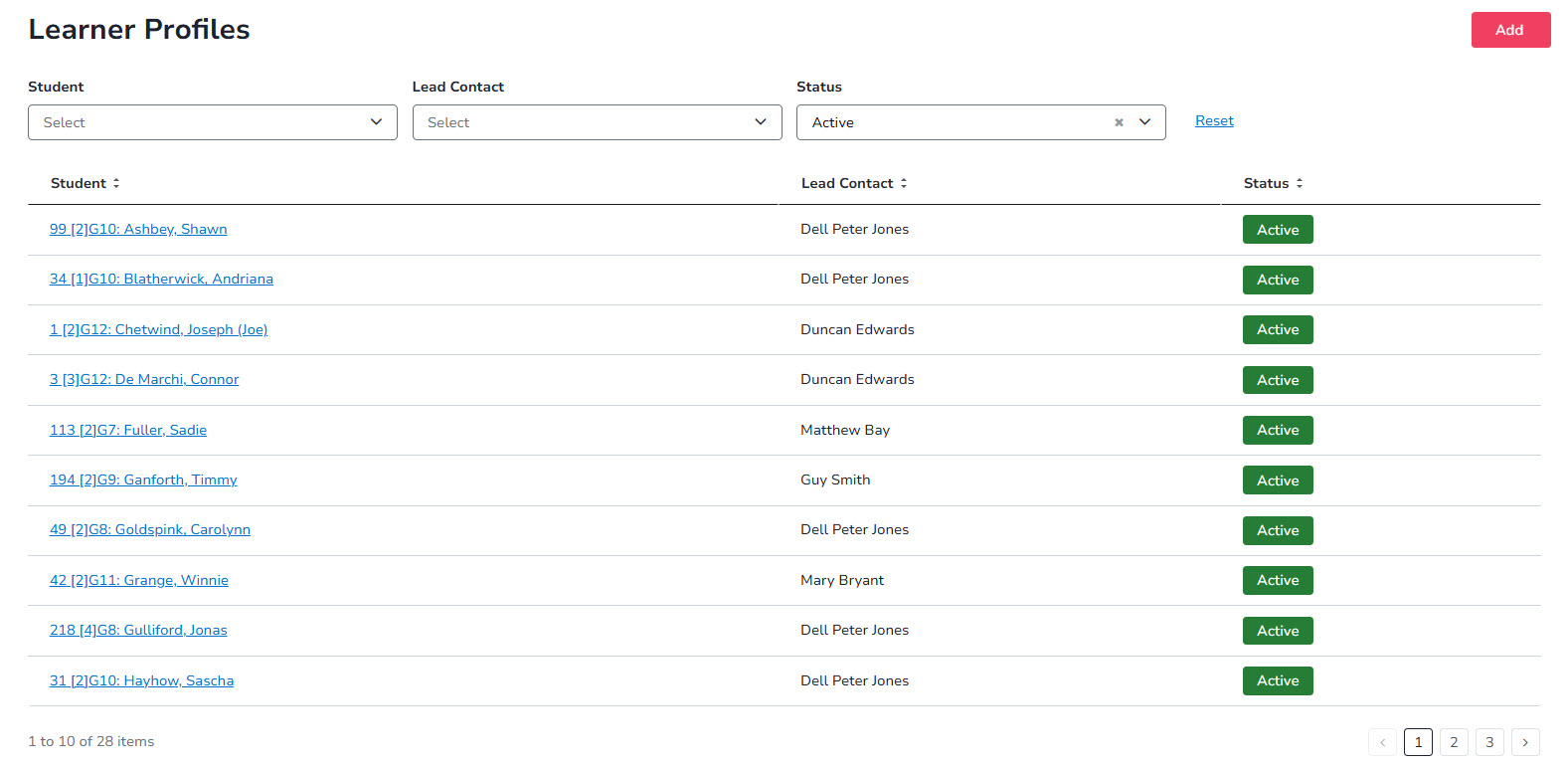

Inclusion Leaders use a dashboard to:
Facilitate follow-up with teachers Identify SSG meetings that need to be scheduled See which Individual Education Plans are due for review View students receiving unplanned adjustments View students receiving school-based special provisions
Staff and teachers use a dashboard that:
Highlights required progress updates and confirmations Alerts them to changes in learning adjustments for students in their classes Identifies Individual Education Plans coming up for review where they are the lead contact

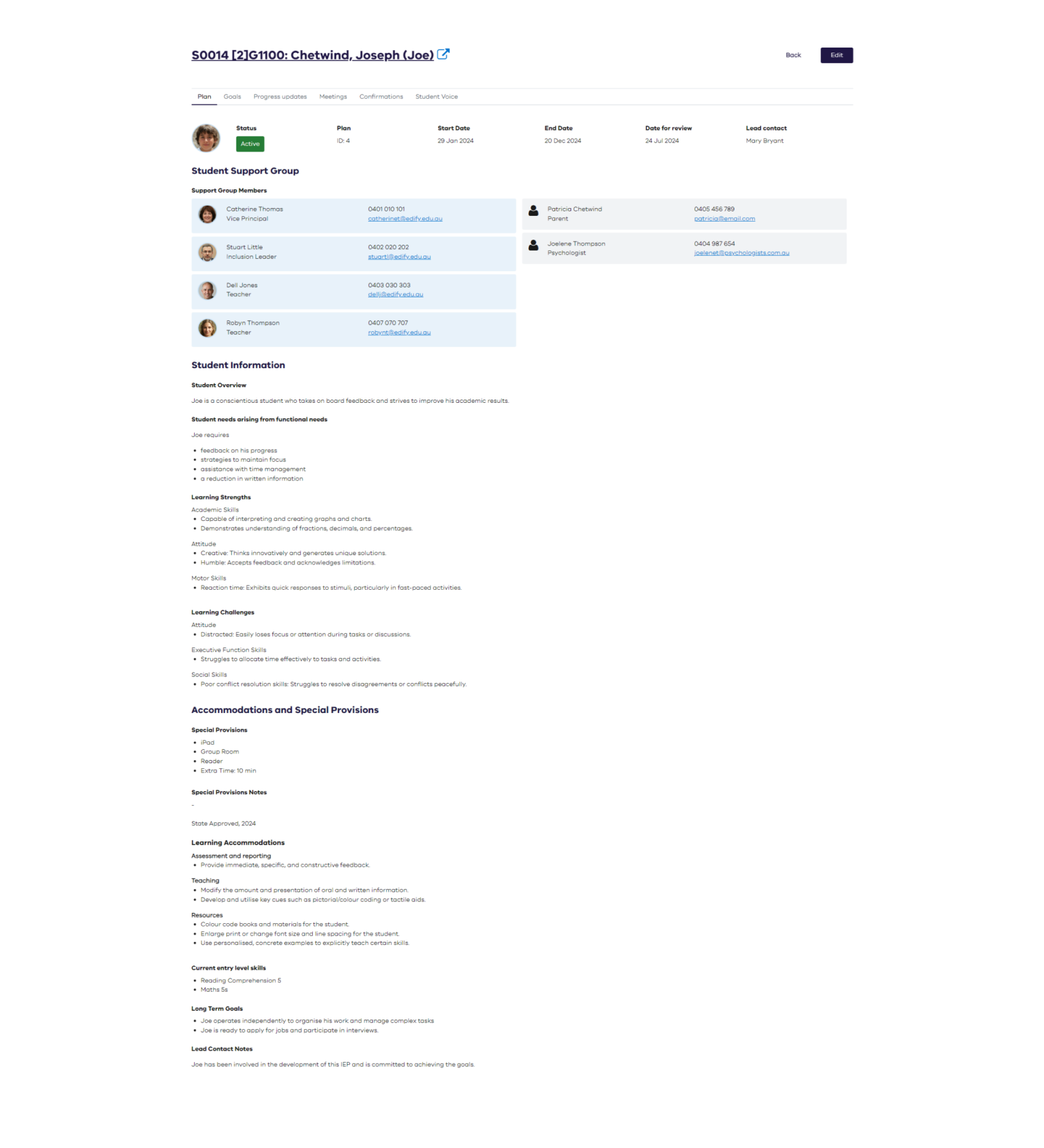
The Individual Education Plan (IEP) captures the adjustments, goals and strategies required to meet a student’s unique learning needs.
Track progress against goals and record minutes from Student Support Group (SSG) meetings.

Capture meeting details to maintain continuity of information for each student.


Digitise the process end-to-end, including evidence capture, to provide visibility of student support levels and data to inform funding needs, such as comparing NCCD and non-NCCD adjustment levels.
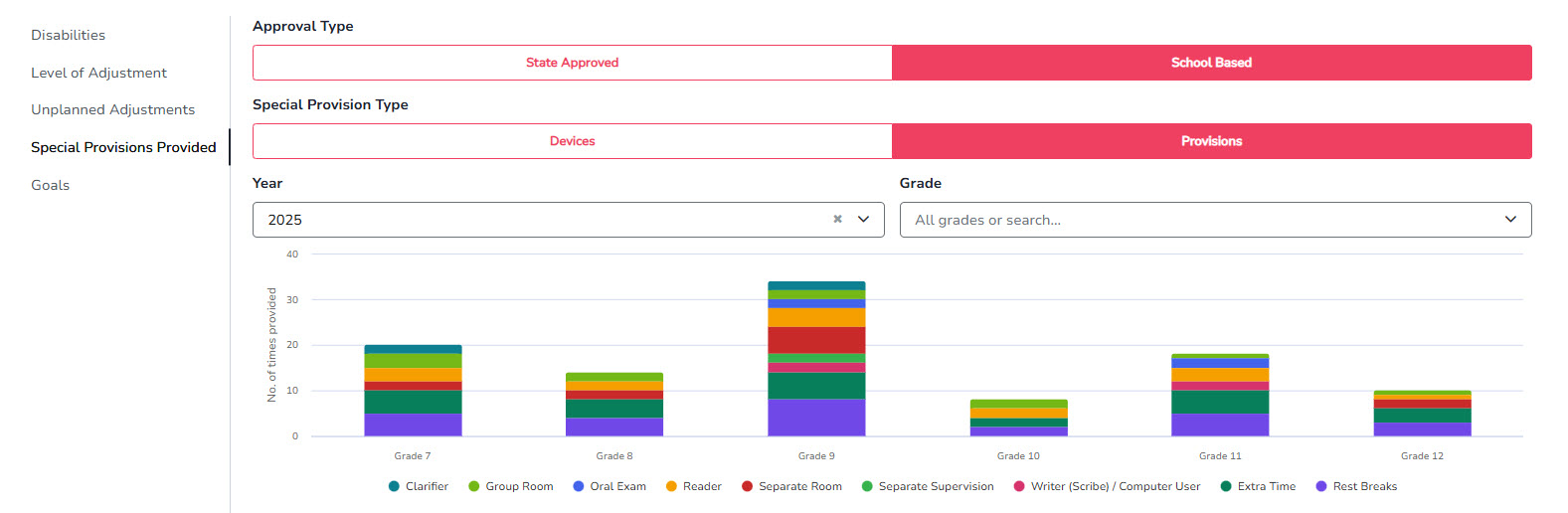
Inclusion Leaders use a dashboard to identify students who are receiving school-based special provisions.


Capture evidence and analyse reports across the full process, enabling clear comparison between state-approved and school-based special provisions.
Easily see the number of students receiving unplanned adjustments and whether they have a Learner Profile in place.

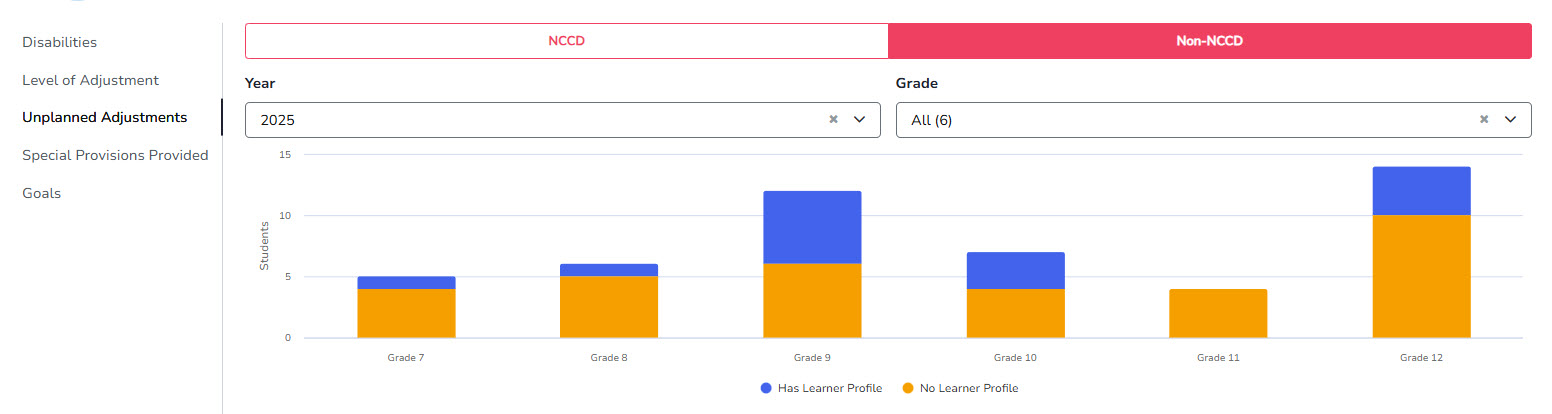
Track how often ad hoc learning adjustments are provided over a set period to inform updates to the Learner Profile and review support and funding needs.
Individual Education Plans
Individual Education Plans
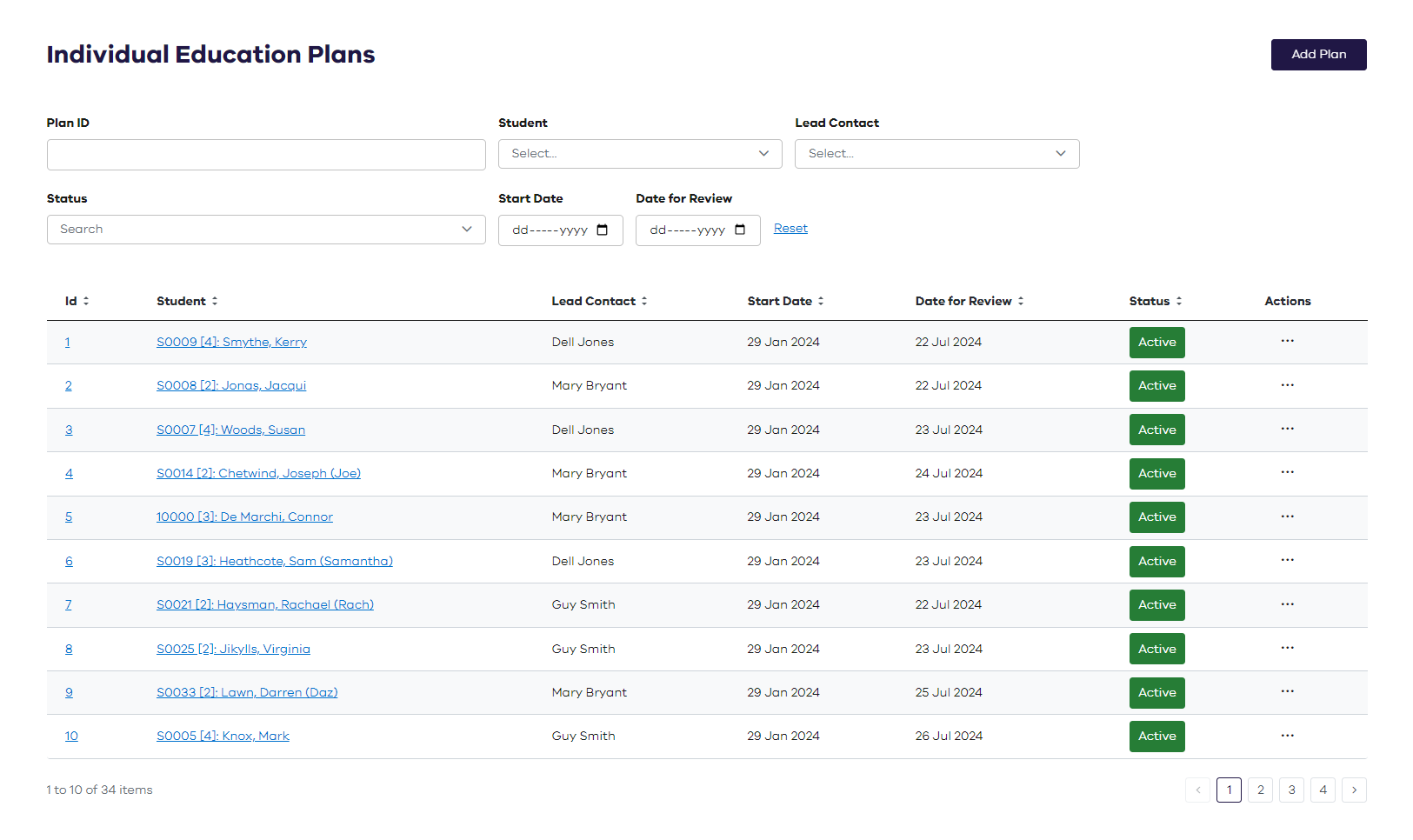
An Individual Education Plan (IEP) describes the adjustments, goals and strategies to meet the student’s unique learning needs. Edify enables you to search, view and edit IEPs.
Individual Education Plans
An Individual Education Plan (IEP) describes the adjustments, goals and strategies to meet the student’s unique learning needs. Edify enables you to search, view and edit IEPs.

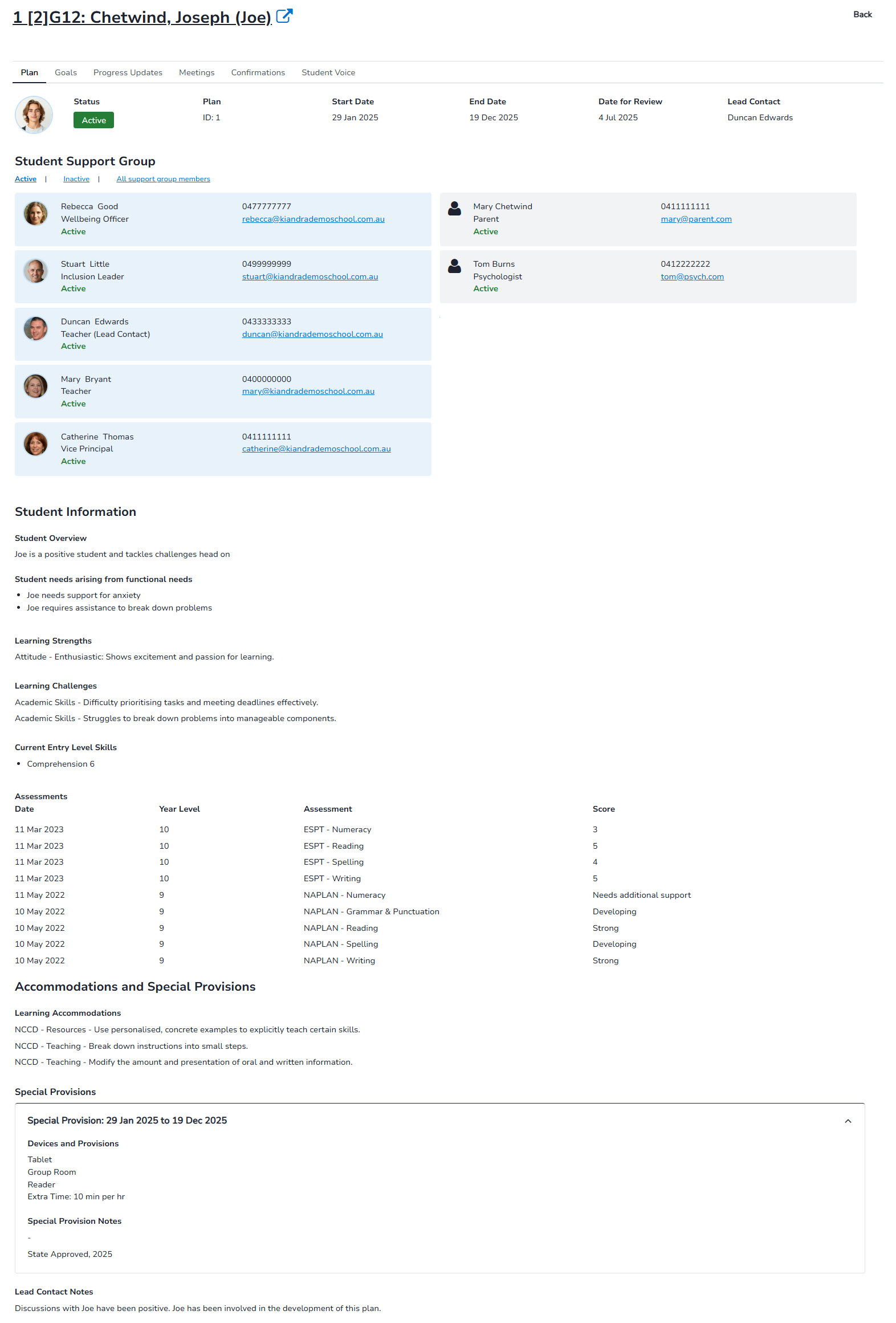
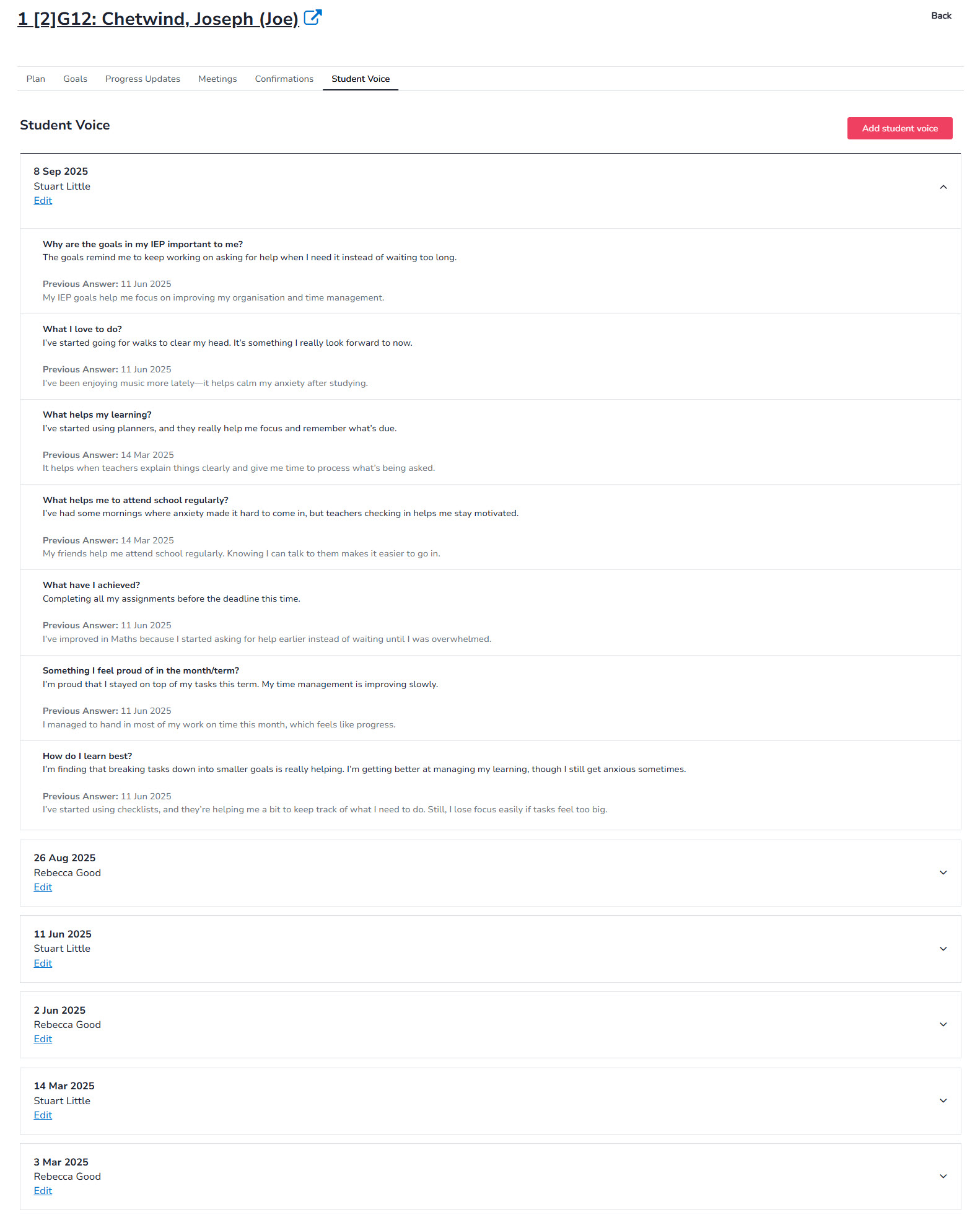
Each student record contains details about goals, progress, meetings, confirmations and student voice.
Short term goals can be recorded.


Progress against goals can be tracked and the minutes of the student support group (SSG) meetings recorded.
Add and view meeting records with attendees and notes from the discussion.

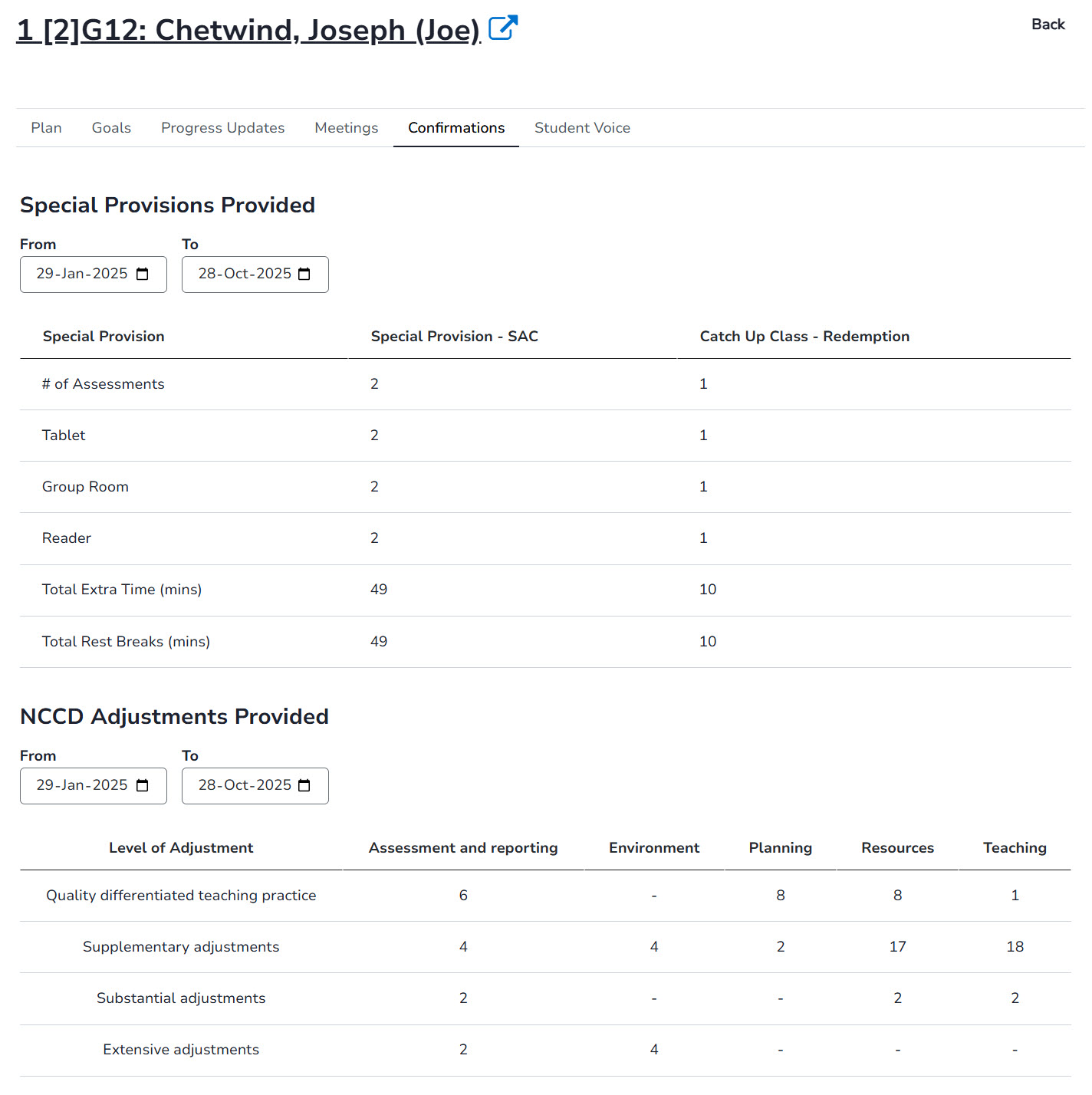
Summary data of special provisions and adjustments that have been provided to the student.
History of student voice questions and responses recorded over time.

Generate reports detailing goals across different schools.
Assessment Requests
Assessment Requests
Plan student assessments and catch-up classes with the confidence that their special provisions are accurately recorded.

Assessment Requests
Plan student assessments and catch-up classes with the confidence that their special provisions are accurately recorded.

Edify automatically identifies students who require special provisions, while protecting privacy by keeping student names hidden from those scheduling assessments or catch-up classes.
Edit mode allow authorised staff to make necessary changes to an assessment request, ensuring information remains accurate.

A daily report summarises the required resources by date and period and includes a dedicated page for the supervising teacher.

Plan assessments with real-time resource visibility, enabling the Daily Organiser and administration staff to run live reports that identify required adjustments and resources, removing manual effort and simplifying assessment planning.

Schedule catch-up assessments for absent students and generate assessment cover sheets to support consistent and efficient administration.


Once assessments are complete, quickly capture evidence of required adjustments, creating a clear record to support accountability and future planning.
Digitise the process to enable analysis and reporting, including visibility of state-approved special provisions compared with school-based provisions.